The following field must be included into the table’s primary key:
The following field must be included into the table’s primary key: Field User Name Table: User
 The issue originates in the TableRelation property of the underlying table. In this instance, a field (“User ID”) on a custom table is using the User table for lookup:
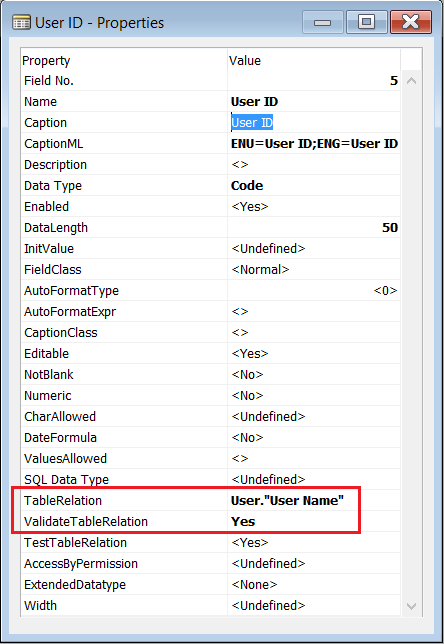 The field used in the TableRelation property (“User Name”) must be part of the primary key of the related table (User). Although the User table has “User Name” defined as a secondary key, it is not part of the primary key.
Standard NAV table User Setup (Table ID 91) provides a solution to this issue:
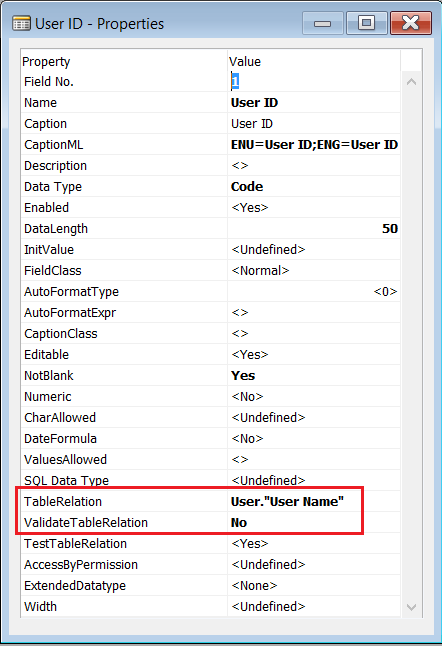
As you can see in the image above, the ValidateTableRelation Property has been set to “No”. This allows the user to enter any value in the field without NAV validating that the record exists in the related table, which will avoid the error, but still allow the user to lookup the User ID in the User table.
Interestingly, Microsoft have ignored their own advice regarding the TestTableRelation property:
If you set the ValidateTableRelation property to No, then you should also set the TestTableRelation property to No. Otherwise, a database test on the field relations in a database may fail.
Instead, Microsoft have added code to validate that the User Name specified exists which replaces the ValidateTableRelation property.
This means a a test on the field relations should pass, as the table relation test includes secondary keys:
[TestTableRelation] Sets whether to include this field when evaluating field relations between primary and secondary indexes.
In conclusion
Setting the ValidateTableRelation field property to “No” can be used to stop NAV from validating a foreign key relationship, whilst still enabling the standard lookup functionality via the TableRelation property. If you do set this property to “No”, you’ll most likely want to create your own validation in code (OnValidate trigger for instance), or if you really don’t care if the value exists in the related table, then set the TestTableRelation property to “No”.
 Dan Kinsella's Blog