
Tag: Modern Development Environment

  • AL Page: show integer or decimal as mandatory


    A quick tip, as it’s been a while since my last post..

    The ShowMandatory property for fields on a page object is helpful for drawing the user’s attention to required fields on a page.

    If a field is not populated on a page and the ShowMandatory property for that field is set to true, then a red asterisk (*) will appear:

    Mandatory Decimal

    The problem is, for number based fields which default to 0, this field is actually populated so the asterisk will not show up.

    Luckily there is an easy solution; to show integer or decimal fields as mandatory we can also set the field’s BlankZero field to true:

    pageextension 50000 "Item Card DK" extends "Item Card"
    {
        layout
        {
            modify("Net Weight")
            {
                BlankZero = true;
                ShowMandatory = true;
            }
    }
    If you have more complex (or fringe) requirements, such as numbers must be positive, there is also the BlankNumbers page field property. BlankNumbers can be set to the following values:
    Value Description
    DontBlank (default) Not clear any numbers
    BlankNeg Clear negative numbers
    BlankNegAndZero Clear negative numbers and zero
    BlankZero Clear numbers equal to zero
    BlankZeroAndPos Clear positive numbers and zero
    BlankPos Clear positive numbers

    Note: BlankNumbers is not available when modifying fields from a pageextension object, you can only use this property on a  field declaration.
  • Sorry, that didn’t work – Debugging AL from VS Code

    Sorry that didn't work
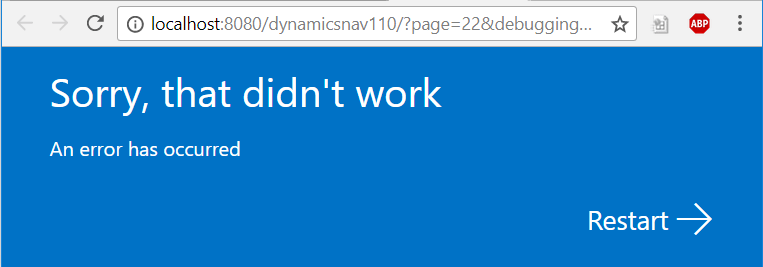
    So you’ve installed your NAV 2018 developer environment, fired up VS Code, pressed F5 (publish and debug), the Web Client starts to load and…

    Sorry, that didn’t work
    An error has occurred

    If you look in the Windows Event Viewer and find the message below, read on for the solution:

    Server instance: DynamicsNAV110
    Tenant ID:
    <ii>User: BLANKED\Dan.Kinsella
    Type: System.InvalidOperationException
    Message: <ii>Dynamic operations can only be performed in homogenous AppDomain.</ii>
    StackTrace:
    at System.Runtime.CompilerServices.CallSiteBinder.BindCore[T](CallSite`1 site, Object[] args)
    at System.Dynamic.UpdateDelegates.UpdateAndExecute2[T0,T1,TRet](CallSite site, T0 arg0, T1 arg1)
    at Microsoft.Dynamics.Nav.Service.Dev.Web.Controllers.DebuggerHub.OnDebuggeeConnected(Object sender, DebugSessionStartEventArgs eventArgs)
    at Microsoft.Dynamics.Nav.Runtime.Debugger.DebugRuntimeManager.OnDebuggingSessionStarted(DebugSessionStartEventArgs e)
    at Microsoft.Dynamics.Nav.Runtime.Debugger.DebugRuntimeManager.CreateRuntime(String debuggingContext, NavSession session, Boolean waitForDebugAdapterConfiguration)
    at Microsoft.Dynamics.Nav.Runtime.NavSession.StartDebuggingSession(String debuggingContext, Boolean waitForDebugAdapterConfiguration)
    at Microsoft.Dynamics.Nav.Service.NSService.OpenConnection(ConnectionRequest connectionRequest)
    at SyncInvokeOpenConnection(Object , Object[] , Object[] )
    at System.ServiceModel.Dispatcher.SyncMethodInvoker.Invoke(Object instance, Object[] inputs, Object[]& outputs)
    at Microsoft.Dynamics.Nav.Service.ServiceOperationInvoker.ErrorMappingCombinator(ServiceOperation innerOperation, NSServiceBase serviceInstance, MethodBase syncMethod, Object[] inputs, Object[]& outputs)
    Source: System.Core
    HResult: -2146233079
    </ii>

    The solution

    To enable AL debugging from VS Code we need to change the NetFx40_LegacySecurityPolicy setting in the Microsoft.Dynamics.Nav.Server.exe.config file to false.

    The Microsoft.Dynamics.Nav.Server.exe.config file is found in the Dynamics NAV service install directory, which (if you accepted the default) will be in the following location:

    C:\Program Files\Microsoft Dynamics NAV\110\Service\Microsoft.Dynamics.Nav.Server.exe.config

    Search the config file for the NetFx40_LegacySecurityPolicy setting, and change the enabled property to false:

    <NetFx40_LegacySecurityPolicy enabled="false"/>
    After restarting the service tier, try again and the Web Client should now open with a debug session.